
Family location
Family location: your children's last location, with full transparency
Check that your child made it to school, practice or a friend's house without calling every time. Habit+ Family shows parents each child's last location on a map, with the time, battery and network, even when the app is closed. And your child always knows their location is shared.

Free • Android • Ad-free option available
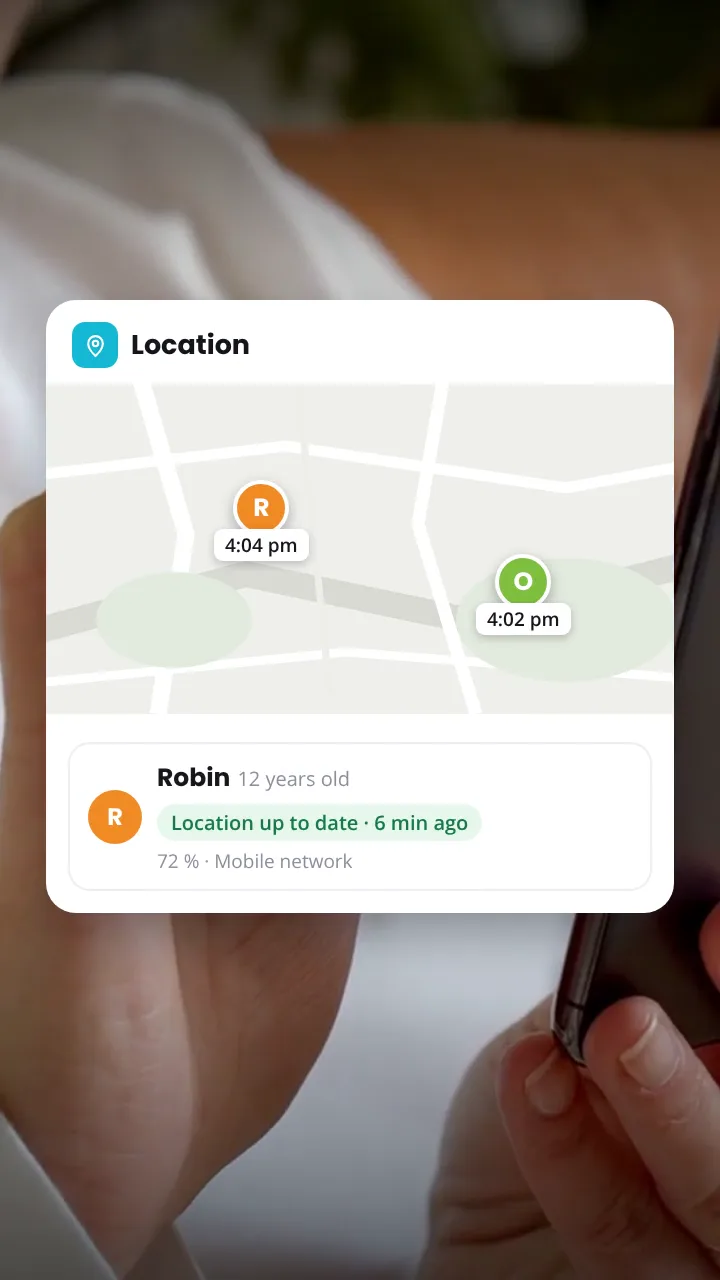

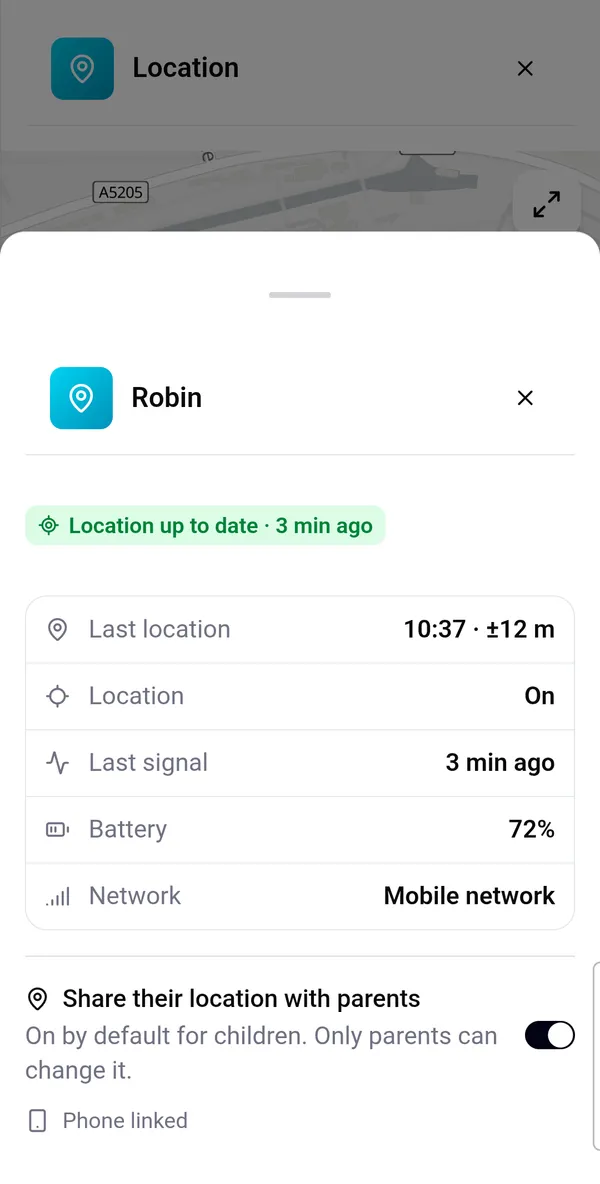

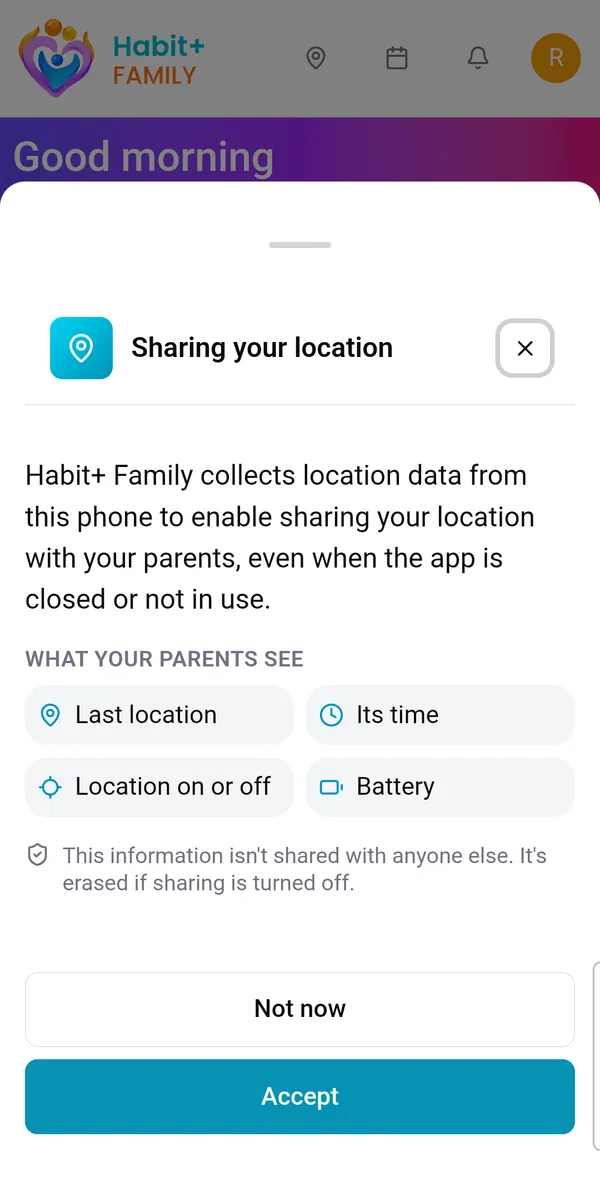

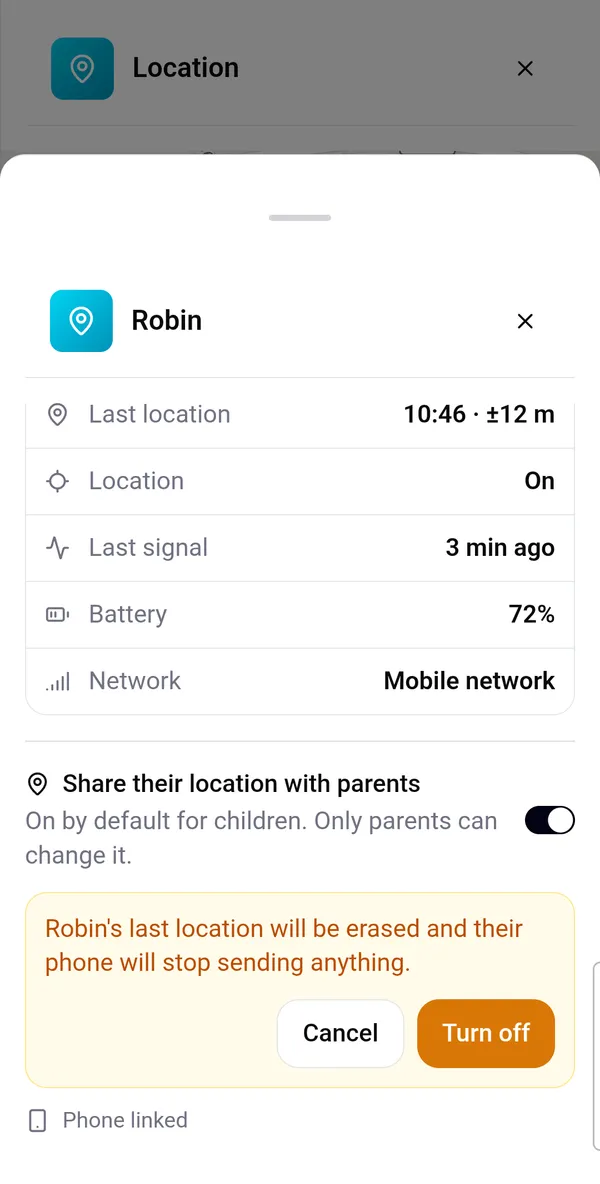
A map with each child's last location
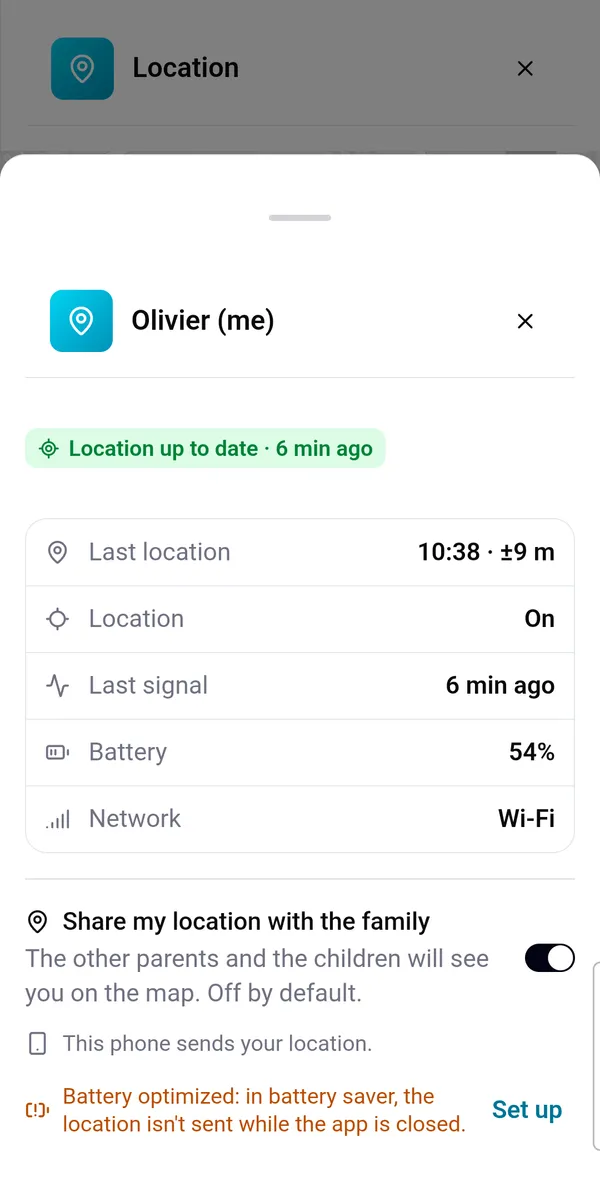
From the app's home screen, the Location button opens the family map. Each child appears at their last known location, with the time it was taken. Below the map, a card for each child also shows their phone's battery level and network.
Tap a child to see the details. The map refreshes on its own while it's open, and a button lets you refresh it right away.
- Last location, with its time and accuracy
- Phone battery level
- Network: Wi-Fi, mobile network or offline
- Location on or off
- The phone's last signal, so you know whether it's still active
Shared even when the app is closed
Your child doesn't need to open Habit+ Family: their location keeps being shared in the background, with the app closed and the phone asleep. That's often exactly when you need it most.
To save battery, the app doesn't use GPS continuously. In the background, Android sends the location a few times an hour, to within about a hundred meters. So it isn't real time: you see the last known location, always with its time.
Transparent for your child
Location sharing is never hidden. Before any permission request, your child sees a screen that explains in plain words what is shared, with whom, and that sharing continues when the app is closed. They then choose "Accept" or "Not now".
After that, their profile reminds them that their location is shared with their parents, and they see the same information about themselves on the map as you do.
You stay in control
Location sharing is on by default for children. A parent can turn it off at any time from the child's profile: their last location is then erased, and their phone stops sending anything. Only parents can change this setting.
Each parent also decides whether to share their own location with the family. It's off by default.
- Children: sharing on by default, can be turned off by a parent
- Parents: sharing their own location is off by default
- A child's location is only visible to their parents, not to their brothers and sisters
- A parent who shares their location is visible to the whole family
No history, and nothing outside the family
Habit+ Family only keeps each person's last location: every new location replaces the previous one. There's no trip history and no list of places visited.
Locations are never shared with anyone outside the family, not even with linked families, and are never used for advertising. They're stored in Europe, encrypted, and erased as soon as sharing is turned off.
Notified if location is turned off
If location is turned off on a child's phone, or the app loses access to it, their parents get a notification. Another one lets them know when it's back on.
Meanwhile, the map shows the child in gray with the time it was turned off. Their last location stays visible, and you can see whether their phone is still active.
Location turned off

Location turned back on

How does it work?
- 1
Update the app
Family location comes with version 1.2.1 of Habit+ Family on Android. Each parent is introduced to it by a short presentation screen.
- 2
Your child accepts
A screen explains what is shared and with whom. They accept, then choose "Allow all the time" so sharing continues when the app is closed.
- 3
Open the map
The Location button on the home screen shows each child's last location, with the time, battery and network.
- 4
Stay informed
A notification lets you know if location is turned off on their phone, and again when it's back on.
A few examples
The way home from school
Your child comes home alone on foot or by bus: a quick look at the map shows how far along they are, without sending a message.
Activities and outings
Practice, an afternoon at a friend's, a trip to the park: you see their last location without interrupting them.
A phone that doesn't answer
No answer to your calls? Check their battery and last signal: the phone may simply be out of battery or out of coverage.
Between parents
A parent can also share their location with the family: handy to know who's already on the way to pick up the kids.
Frequently asked questions
Yes. It's part of the free version of Habit+ Family, like the calendar, routines, budget and lists.
Yes, always. Before any permission request, a screen explains what is shared and with whom. After that, their profile reminds them that their location is shared with their parents. Location sharing is never hidden.
Only their parents, in Habit+ Family. Not their brothers and sisters, not linked families, and no one outside the family. Their location is never used for advertising.
No, not by default. Each parent chooses whether to share their own location. If they turn it on, the other parents and the children of the family see them on the map.
Yes, if "Allow all the time" was chosen in the Android settings: the phone then sends its location a few times an hour, even with the app closed. In battery saver mode, Android can block this; the app explains how to set the app's battery usage to "Unrestricted".
No. Only the last location is kept: each new location replaces the previous one. It's erased as soon as sharing is turned off.
You get a notification. On the map, their last location stays visible with its time, and you can see whether their phone is still active. Another notification lets you know when location is back on.
Open the child's profile and turn off "Share their location with parents". Their last location is erased and their phone stops sending anything. Only parents can change this setting.
Not yet. Habit+ Family is currently available on Android, where family location arrives with version 1.2.1.
More Habit+ Family features

Ready to simplify your family organization?