
Shared lists
Shared lists: grocery list, wish list and packing list for the whole family
This week's grocery list, a birthday or Christmas wish list, the holiday packing list, the family bookshelf or medicine cabinet… Habit+ Family keeps all the family's lists in one place. Everyone adds, checks off or reserves items from their phone, and everyone stays on the same page.

Free • Android • Ad-free option available




Three types of lists to organize everything
A grocery list doesn't work like a wish list or the medicine cabinet inventory. Habit+ Family offers three types of lists, each designed for a specific use.
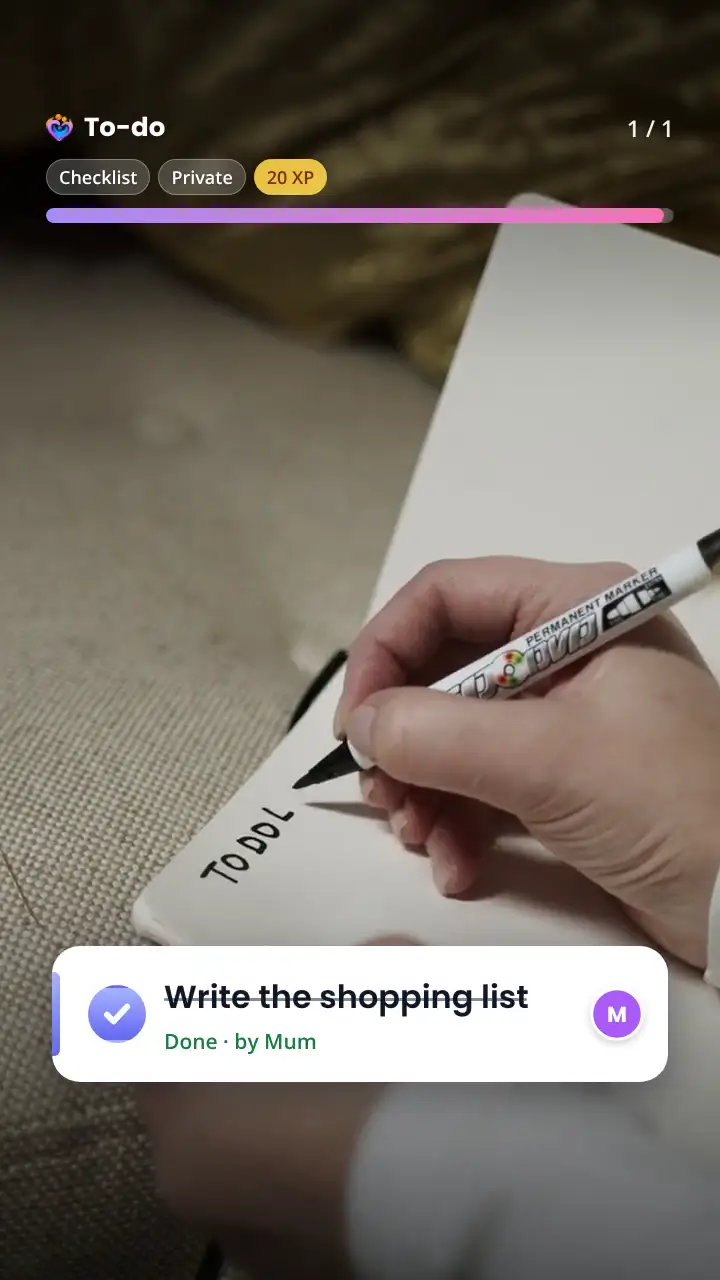
- Checklists: groceries, to-dos, packing, meals. Check items off as you go and see who got what.
- Wish lists: birthdays, holidays, new babies. Loved ones reserve or chip in without spoiling the surprise.
- Inventories: books, games, medicine. No checkboxes, but statuses: read, to read, lent, in stock, to buy again.
Ready-made templates
No need to start from scratch: pick a template and the list is ready, with the right fields. Prefer something custom? Create a free-form checklist, wish list or inventory.
Your own lists can also be saved as templates, then offered to the whole family.
- Groceries: aisles, quantities and suggestions
- Gifts & wishes: reserve or chip in, anonymous for the recipient
- Packing list: reusable, one per person (holidays, weekends, hospital bag)
- To-do: a task can become a calendar activity
- Weekly meal plan: 7 days, ingredients sent to the grocery list
- Books, games & toys: for whom, read or to read, lent to whom
- Medicine cabinet / stock: quantity, expiry date, restock threshold
A shared grocery list that actually helps
The grocery list is sorted by aisle, with quantities and suggestions for the items you buy often. Whoever does the shopping checks items off aisle by aisle, and everyone sees what was picked up and by whom.
Once the shopping is done, close the list: it resets for next week and keeps its items. You can also enter the amount spent to add it straight to the family budget.
Christmas or birthday wish list: reserve without spoiling the surprise
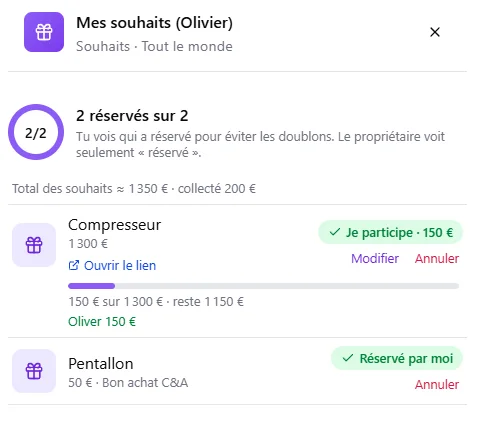
On a wish list, everyone notes their ideas with an estimated price and a link. Loved ones reserve a gift, or chip in together with any amount for a bigger present.
The list owner only sees that a wish is reserved, never by whom. Everyone else sees who reserved or chipped in, to avoid duplicates and coordinate. As a birthday approaches, the app suggests creating your wish list or checking the birthday person's list.
Private, family or shared: you choose who sees what
Each list has its own visibility. A private list is visible only to you: not even parents can see it. A family list is shared with family members, and you can leave some out. A list open to everyone is also visible to linked families, such as the other parent's household in a blended family. No list is ever accessible through a public link.
Lists are connected to the rest of the app: a task becomes a calendar activity, a list can earn XP for those who took part, and everything works offline, with changes synced as soon as you're back online.
How does it work?
- 1
Pick a template
Groceries, gifts, packing, meals, books… or a free-form checklist, wish list or inventory.
- 2
Decide who sees it
Just you, the family, or linked families too. You can leave some members out.
- 3
Fill it in together
Everyone adds, checks off or reserves from their phone, and you can see who took care of what.
- 4
Close and start again
Participants get their XP and a reusable list resets.
A few examples
The weekly grocery run
Parents add to the list during the week, teens add what's missing, and whoever goes to the store checks things off aisle by aisle.
A child's birthday
The child makes a wish list, then grandparents and linked families reserve or chip in, without the child knowing who is giving what.
Packing for the holidays
A reusable packing list for each family member: check items off while packing, and the list resets for the next trip.
Medicine cabinet and bookshelf
Keep track of medicines, their expiry dates and what to buy again, or the books that are lent out and those still to read.
Frequently asked questions
Yes. Lists are part of the free version of Habit+ Family, just like the calendar, routines and budget.
Yes. On a shared list, everyone can add items and check them off, and you can see who got each one. On a wish list, loved ones reserve or chip in.
No. They only see that a wish is reserved, to keep the surprise. Other members see who reserved or chipped in, so nobody buys the same gift twice.
Yes. With the "Everyone" visibility, the list is visible to your family and to linked families, such as the other parent's household in a blended family. There is no public link: a list is never accessible outside Habit+ Family.
Yes. You can check off or add items without a connection, for example at the back of a store. Changes are synced as soon as you're back online.
Closing a list marks it as done. If it earns XP, every member who checked off at least one item gets them. A reusable list then resets and keeps its items; otherwise it is archived and stays available. For groceries, you can also enter the amount spent, added straight to the family budget.
More Habit+ Family features

Ready to simplify your family organization?